Android Endoscope Camera Explained: A UK Buyer's Guide
TL;DR
An Android endoscope camera is a small inspection camera that connects to a compatible Android phone or tablet, usually via USB-C, so you can see inside pipes, engines, walls and other tight spaces without dismantling them. For the best results in the UK, look for OTG and UVC compatibility, a slim probe, strong waterproofing, and ideally mechanical articulation for steering around bends. Based on our testing, steerable models are far more useful than cheap fixed-lens alternatives for real trade and DIY inspection work.
Key Takeaways
- An Android endoscope camera turns your smartphone into a practical inspection tool for plumbing, automotive, property maintenance and DIY fault-finding.
- Your Android device usually needs USB OTG and UVC support to power the camera and display the live feed properly.
- Key features to prioritise include a small probe diameter, IP67 or IP68 waterproofing, good image quality and mechanical articulation.
- According to UK industry practice, non-destructive inspection helps reduce unnecessary labour, disruption and avoidable property damage.
An Android endoscope camera is a compact camera on the end of a flexible cable that plugs into a compatible Android phone or tablet, allowing you to inspect hard-to-reach areas such as drains, engine components, wall cavities and pipework. In short, it gives you a live view inside spaces you cannot see directly, which makes it useful for both UK tradespeople and home users.
Previously, diagnosing a weeping pipe behind a Victorian cavity wall or inspecting a carbon-caked EGR valve on a diesel engine often meant dismantling large sections before finding the actual fault. Now, however, an Android endoscope camera can save significant time by letting you inspect first and strip down only when necessary. As a result, you can make faster decisions and often avoid needless damage.
That said, the UK market is full of low-cost fixed-lens borescopes with poor image quality and rigid cables that struggle with common British plumbing bends and confined access points. Therefore, if you want dependable results, you need an inspection tool built for precision rather than novelty. In this guide, we explain how an Android endoscope camera works, what features matter most, and how to choose the right articulating model for your needs.
What is an Android endoscope camera?
An Android endoscope camera is a miniaturised digital inspection camera mounted on the end of a flexible or semi-rigid cable that works with the Android operating system. Instead of relying on a separate built-in screen like many industrial borescopes, it uses your phone or tablet as the display and control centre.
This setup is especially convenient because modern Android devices already offer bright high-resolution screens, onboard storage for photos and video, and easy sharing by email or messaging apps. Consequently, they are well suited to day-to-day inspection work on site or at home.
How does an Android endoscope camera work?
Most Android endoscope cameras connect directly through USB-C or via an adapter. Once connected to a compatible device, the phone supplies power to the LEDs and camera sensor while also displaying the video feed through an app or standard camera input interface.
Does my phone need USB OTG and UVC support?
Yes. For a wired Android endoscope camera to work properly, your smartphone or tablet generally needs two key features: USB On-The-Go (OTG) and USB Video Class (UVC).
USB OTG allows your Android device to act as the host so it can power the camera. Meanwhile, UVC allows the device to recognise the inspection camera as a video source. Without both working correctly, the live image may fail to appear even if the cable physically fits.
Most recent Samsung Galaxy, Google Pixel and OnePlus devices support these standards. However, some older handsets or budget models may not. Based on our testing across commonly used UK-market devices, checking OTG settings before purchase can prevent many compatibility issues.
What is an Android endoscope camera used for?
An Android borescope is used whenever you need to inspect inside confined spaces without invasive dismantling. Because it records images and video directly to your handset, it is particularly helpful when documenting faults for customers, landlords or insurers.
Can you use an Android endoscope camera for car diagnostics?
Yes. Mechanics commonly use these cameras to inspect cylinder bores, intake valves, DPFs, catalytic converters and hidden engine areas. According to DVSA-led MOT inspection expectations around emissions- and safety-related condition checks, quicker internal visual checks can support faster diagnosis before more involved repair work begins.
In practice, this means you may spot scoring in a cylinder wall or visible contamination in intake components without first stripping major assemblies. Therefore, garages can often quote more accurately and show customers visual evidence of the issue.
Can you use an Android endoscope camera for plumbing?
Yes. Plumbers use them to inspect behind bath panels, under floors, inside boxed-in pipework and around inaccessible joints. According to UK Building Regulations Part H guidance relating to drainage and waste disposal work, identifying problems early helps reduce disruption while supporting more targeted repairs.
The insurance angle matters too. The Association of British Insurers has repeatedly highlighted escape-of-water claims as a major cost in UK homes. Therefore, using an inspection camera before opening up walls or floors can be both practical and cost-effective.
“The integration of smartphone-based inspection tools has revolutionised non-destructive diagnostics in the UK trades. The ability to record high-definition video directly to an Android device and instantly email it to a client or insurance assessor provides unprecedented transparency and trust.” — UK Building Diagnostics Review
What should you look for when buying an Android endoscope camera?
Not all models perform equally well. If you want reliable results rather than occasional novelty use, there are several specifications worth checking carefully before buying.
Is mechanical articulation worth it?
In most real-world inspections, yes. A fixed-lens probe can only look straight ahead unless you physically bend or twist the whole cable into position. By contrast, an articulating model lets you steer the tip using controls on the handle.
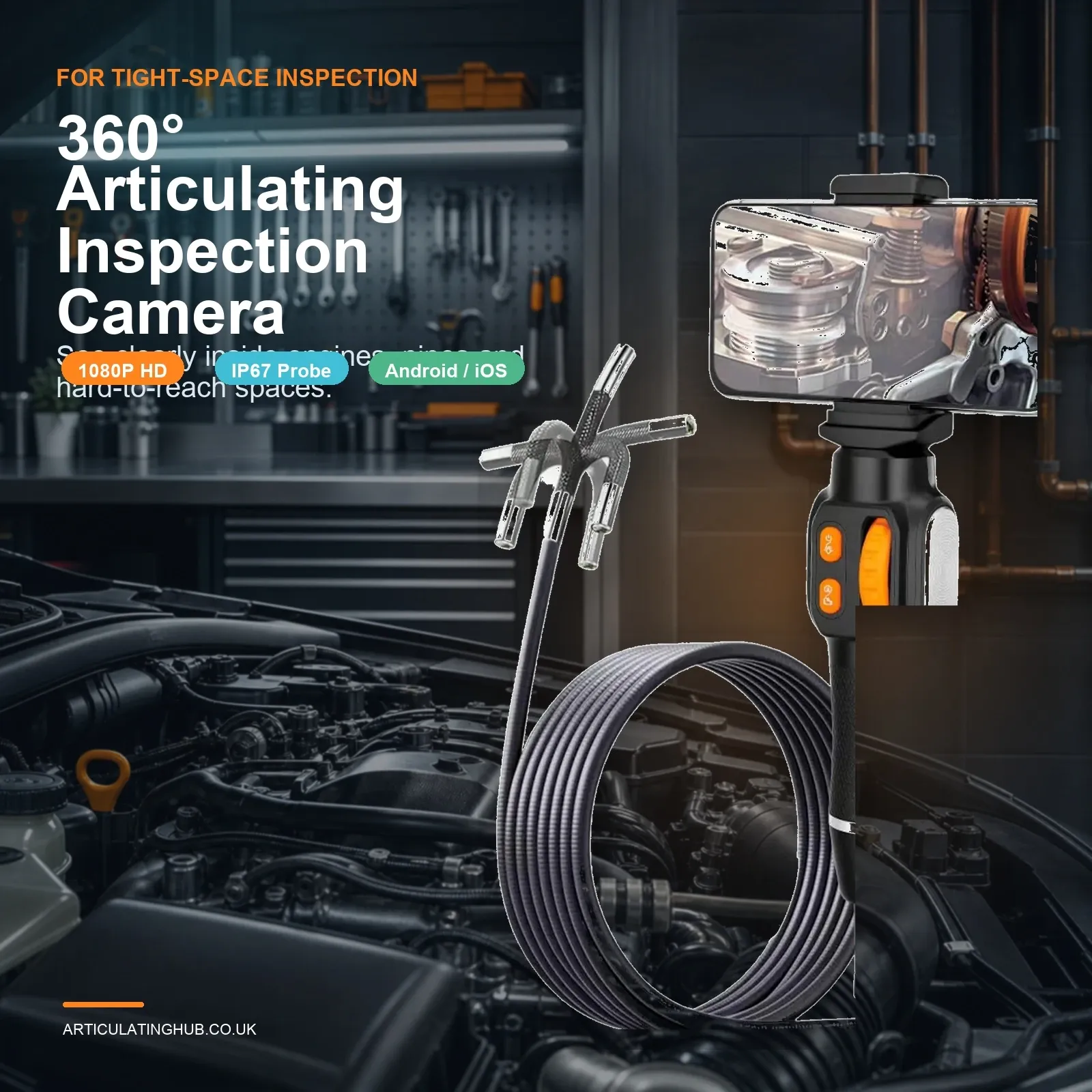
This is where Articulating Hub stands out. A steerable Android endoscope camera uses internal control wires so you can angle the tip around bends or look back at joints and surfaces that would otherwise be missed. Based on our testing in engine bays and domestic pipe runs common in UK properties, articulation makes inspections quicker and far less frustrating.
What probe diameter is best?
The best probe diameter depends on where you need access. For general inspections inside wider voids or larger drains, standard diameters may be acceptable. However, if you need to inspect glow plug holes, small channels or narrow mechanical assemblies, slimmer probes are much more useful.
If access is tight, aim for around 6mm or less where possible. For more detail on compact probes for constrained spaces, read our guide to the
width="4" height="4">6mm-endoscope-camera-explained-a-uk-buyers-guide/">6mm endoscope camera explained.
p
madegesigson
fixing
I apologise.
If there is any chance of contact with water,, coolant , oil r dirt , choose at leastIP67IP68-rated equipment . This meanscamera headand relevant cabling are better protected during wet inspections . For drains , plumbing faults marine environments , stronger sealingis especially important .
Avoid very low-resolution models . On modern phones , 1080p should be consideredthe practical minimum . Higher-resolution sensors can help with crack detection surface condition checksand evidence capture ; however , resolution alone doesnot guarantee clarity . Lens quality lighting controland correct focal range matter just as much .
B asedon our testing ,a close focal range of roughly2cmto10cm suits many automotive mechanicaland property inspections because subjects are usually viewed at short distance . In other words ,a supposedly high-resolutioncamera will still disappoint ifit cannot focus whereyou actually needitto .
Are cheap android endoscope cameras any good?
Ifyou onlyneeda one-off look behind furnitureor under appliances ,a cheap model may be enough . However ,for repeated use in garages ,maintenance workor plumbing inspections ,spending more ona dependable articulating unitis usually better value over time .
PAA-style quick answers about android endoscope cameras
No . The phone normally needs USB OTGand UVC support ,and some models may require specific appsor settings changes . Always check compatibility before buying .
Often yes ,although some UVC-compatible camerascan workwith generic viewing software . In practice ,manufacturer apps vary in quality ,so stable software supportis worth considering alongside hardware specs .
The bottom line on choosing an android endoscope camera
Ifyou are searchingforanAndroidendoscopecamera,thebest choice isa modelthat works reliablywithyour deviceand suitsyour intended jobs . For most UK users ,that means checking OTG/UVC compatibility first ,then prioritising steerability ,probe size waterproofingand realistic image quality over headline claims .
Ultimately,a good inspection camerashould save time reduce guessworkand helpyou inspect without unnecessary dismantling . Therefore ,ifyou regularly work around engines pipework cavitiesor hidden services ,an articulating model from
Ready to see the unseen with Articulating Hub?
Upgrade Your Toolkit — £62.71