Endoscope Camera for iPhone UK: The Ultimate Guide
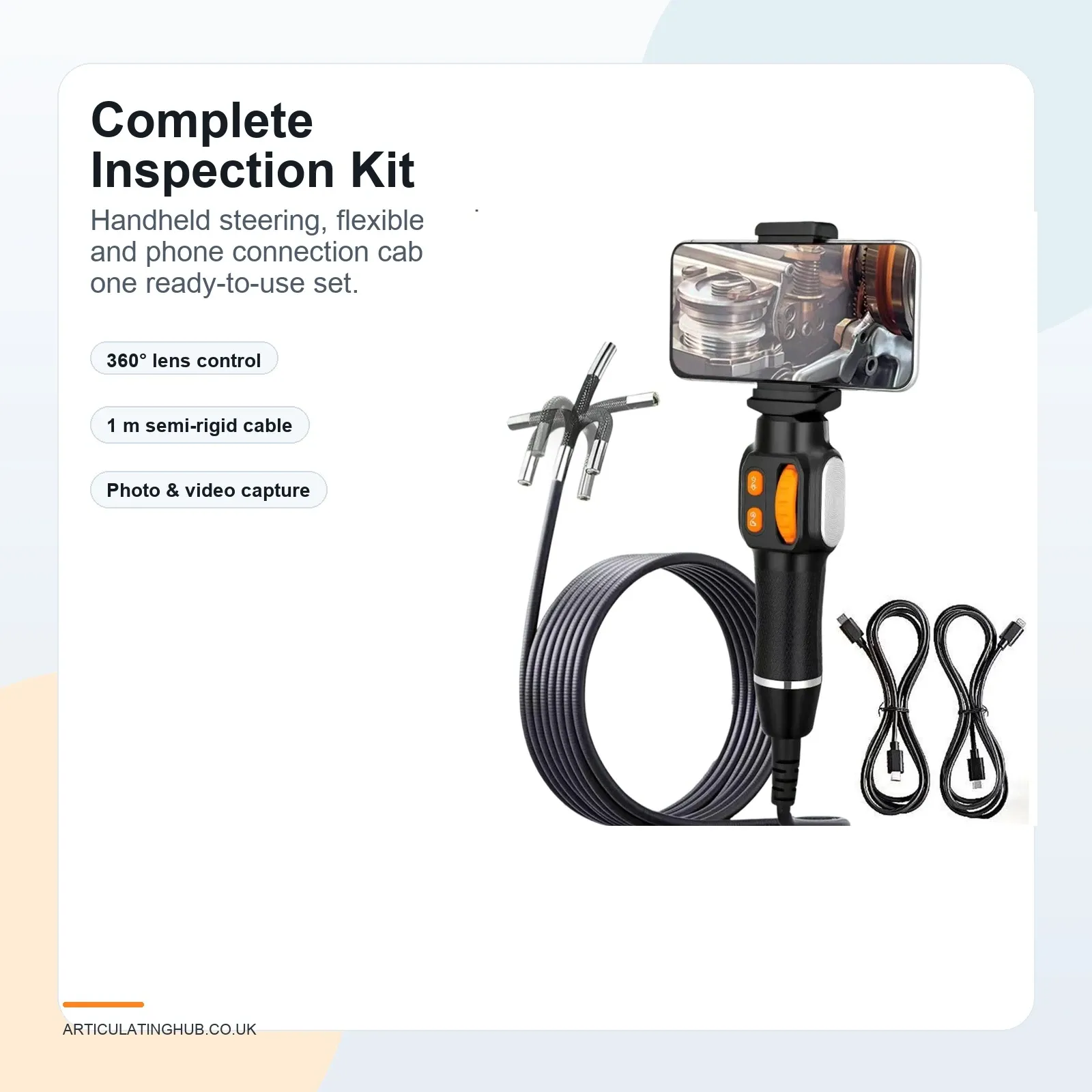
Short answer: An endoscope camera for iPhone is a compact inspection camera that sends live video from a slim probe straight to your iPhone screen — a screen that is far kinder to older eyes than the 2-inch monitor built into cheap standalone scopes. For UK buyers who spend their weekends in the garage rather than on a customer's driveway, the practical choice is a wired model with LEDs around the lens, a slider that bends the tip both ways, and a USB-C lead to the phone.
Articulating Hub focuses on smartphone-connected inspection tools for UK mechanics, plumbers and practical homeowners. Our C30 6 mm articulating endoscope is a wired unit with one USB-C lead, a 6 mm IP67 probe and a 1920 × 1440 picture on a USB-C iPhone. The aim is simple: see the fault before cutting, dismantling or guessing — whether that fault is a weeping joint under the bath or a socket that vanished into the engine bay of a forty-year-old car.
How an endoscope camera works with an iPhone
The camera sits at the end of a slim probe, ringed by small LEDs. With a wired model you plug the connector into your iPhone, open the app, and the live image appears — the phone provides the power, so there is nothing else to charge. You then view, photograph or record the inspection directly on the handset.
That single-cable simplicity is worth dwelling on if you are tired of gadgets that demand pairing rituals. Plug in, the picture shows on the phone, look. When you are done, the clip is already on the phone you will show your mate or your mechanic.
iPhone compatibility: USB-C
The C30 uses a USB-C lead. Clip a USB-C iPhone on the holder and the picture shows on that phone.
Wi-Fi endoscopes exist as a third route: they transmit video wirelessly to an app, which suits mixed fleets of phones. The trade-offs are a Wi-Fi module that needs its own charging, a pairing step before every session, and potential lag. The C30 is wired by design — for a home garage, one fewer battery and zero setup wins.
| Connection type | Best for | What to check |
|---|---|---|
| USB-C wired | USB-C iPhones. | A USB-C port on the phone. |
| USB-C wired | iPhone 15 and later; zero-lag viewing with nothing extra to charge. | USB-C support and app requirements. |
| Wi-Fi endoscope | Households mixing several phone types. | Module battery life, pairing steps and signal stability. (The C30 is wired, not Wi-Fi.) |
Why articulation matters — especially if your wrists have done forty years of spanner work
A fixed camera looks straight ahead. The old workaround is to pre-bend the cable, feed it in, rotate and hope — which in practice means twisting the whole cable with a stiff wrist while peering at a moving image. An articulating camera replaces all of that with a slider on the handle: the tip bends both ways, and a gentle roll of the probe sweeps the view through a wide view.
For iPhone users the pairing is genuinely comfortable: prop the phone where you can see it, hold the handle in one hand, steer with your thumb. No craning over a tiny built-in screen, no re-feeding the probe six times to find the right angle. If you have ever given up on a cheap fixed-lens scope because aiming it felt like threading a needle in the dark, steering is the feature you were missing.
Where UK buyers use an iPhone endoscope
In the garage: looking into a tight gap on an engine you are recommissioning, finding the bolt or socket that dropped into the bell housing, tracing rust from the inside of sills and box sections on a classic, and inspecting carburettor throats without disturbing fragile fixings. The probe on this camera is 6 mm, on a 1 m cable.
In the house: behind plasterboard, under suspended floors, behind kitchen units and around short waste pipes — a quick visual check of hidden services before you drill or cut. For dedicated drain work, our drain inspection camera guide covers what homeowners actually need.
Use it as an inspection aid, not as a replacement for regulated work. Gas appliances, flues, electrical installations, structural issues and safety-critical vehicle systems still need competent assessment. Do not insert a camera into live electrical equipment, unsafe gas appliances or unknown voids where the probe could cause damage.
Features that make the biggest difference
A screen you can actually read: the biggest usability upgrade is the one you already own. An iPhone display beats the small built-in monitors on standalone scopes for brightness, sharpness and sheer size — and you can pinch-zoom a recorded photo afterwards.
Slider steering: two-way articulation up to both ways, controlled from the handle, so the tip moves instead of your wrist.
Probe diameter: the probe on this camera is 6 mm, with LEDs around the lens. Our 6mm endoscope camera guide explains the sizing logic.
Waterproof probe: the C30's IP67 rating covers the probe and lens, useful for damp cavities and oily engine bays alike. Keep the phone end and connector dry.
LEDs around the lens: use the light button on the handle. The picture is 1920 × 1440 on the phone.
Recording: photos and clips save straight to the iPhone, ready to show a specialist or keep with the car's history file.
Cable: the cable on this camera is 1 m. A slider on the handle bends the tip both ways. Longer, floppier cables are for drain runs, not workshops.
Quick buying checklist
- Use a USB-C iPhone. The C30 plugs in with a USB-C lead.
- The handset has no screen and no battery. The picture shows on the phone.
- Choose a slider-steered articulating tip rather than a pre-bent fixed lens.
- The probe on this camera is 6 mm, on a 1 m cable.
- LEDs sit around the lens. Use the light button on the handle.
- Use the IP67 probe for damp jobs, but keep the iPhone and connector dry.
- Do not use an inspection camera as a substitute for qualified gas, electrical or structural assessment.
FAQ
Do endoscope cameras work with iPhones?
Yes, many do. The camera must support iOS and connect by a matching cable or Wi-Fi. The C30 plugs into a USB-C iPhone with the USB-C lead in the box. The picture shows on the phone.
Is Wi-Fi or wired better for an iPhone endoscope?
For home garage use, wired is simpler: the iPhone powers the camera, there is no module to charge and no pairing step, and the feed has no wireless lag. Wi-Fi suits households juggling several different phones.
Is an articulating endoscope worth it?
For most real inspection work, yes. A slider-steered tip lets you aim the view instead of twisting the whole cable, which is easier on the wrists and far quicker at finding side-facing faults.
Can I use an iPhone endoscope in drains?
You can inspect short, accessible wet sections if the probe is rated for it — the C30's probe and lens are IP67. Long underground drain runs need a dedicated drain camera with a stiffer push rod.
Can it replace a professional inspection?
No. It provides useful visual evidence, but regulated gas work, electrical work, structural concerns and safety-critical vehicle systems still need the right qualified person.
Final buying advice
The best endoscope camera for iPhone is the one that matches your handset's connector, steers from the handle and survives damp work. Prioritise a readable screen (your iPhone), slider articulation, an IP67 probe and a 6mm head before chasing resolution numbers. At £62.71 with free UK delivery, a 12-month UK warranty and 30-day returns, the C30 is built for exactly the sort of unhurried, do-it-properly inspection work that keeps an older car on the road and a toolbox drawer honest.